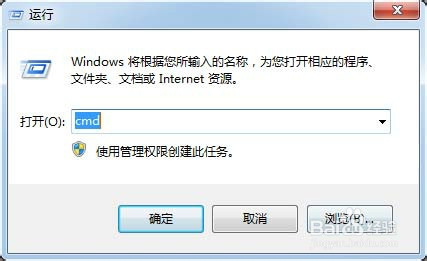
1、开始-运行(或者WIN+R),出现运行框,输入"CMD",确定
2、在CMD命令行下输入“netsh i i show in“,记住本机网卡前的idx标识
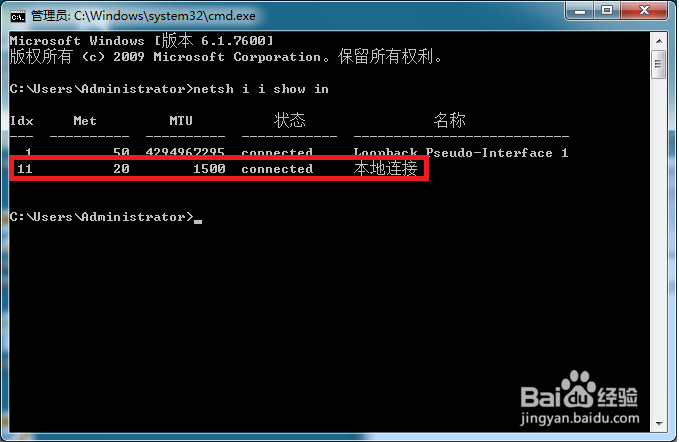
3、之后输入netsh -c "i i" add neighbors 本机网卡IDX 路由器地址 路由器MAC地址
运行即可手动绑定
例:netsh -c "i i" add neighbors 11 192.168.0.1 00-01-6B-B9-34-3E
1、开始-运行(或者WIN+R),出现运行框,输入"CMD",确定
2、在CMD命令行下输入“netsh i i show in“,记住本机网卡前的idx标识
3、之后输入netsh -c "i i" add neighbors 本机网卡IDX 路由器地址 路由器MAC地址
运行即可手动绑定
例:netsh -c "i i" add neighbors 11 192.168.0.1 00-01-6B-B9-34-3E